OneCard Mobile Admin1.0.3
Publisher Description
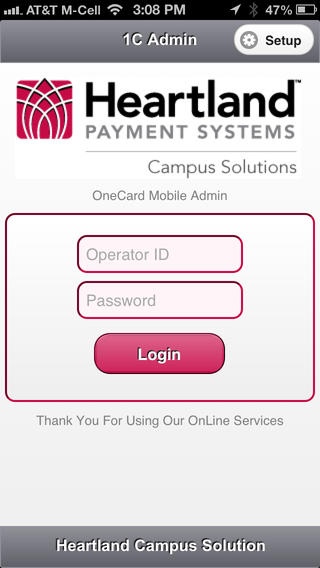
OneCard Mobile Admin allows campus administrators to manage various aspects of the Campus OneCard System from their iOS device. Administrators can view account biographical data, financial information, meal plans, access privileges, registered vehicles, card transaction detail and ID photos.
OneCard Mobile Admin also provides functionality to manage system terminals, take an ID photo and send the OneCard to print.
This is an administrative application and not intended for cardholder use.
OneCard Mobile Admin is enabled by campuses utilizing the Campus OneCard System with proper licensing and configuration. Approved card reader devices can be utilized to accept the Campus OneCard through OneCard Mobile Admin. Manual account entry is supported.
Contact Heartland Payment Systems Campus Solutions to license use of OneCard Mobile Admin within the Campus OneCard System.
Additional Requirements
Campus OneCard System and Mobile Admin license
For designated Heartland Campus OneCard System users only
WiFi or data plan for internet access required
OneCard Web Service installed
Requires iOS 4.3 or later. Compatible with iPhone, iPad, and iPod touch.
About OneCard Mobile Admin
The company that develops OneCard Mobile Admin is Heartland Payment Systems, Inc.. The latest version released by its developer is 1.0.3.
To install OneCard Mobile Admin on your iOS device, just click the green Continue To App button above to start the installation process. The app is listed on our website since 2012-10-05 and was downloaded 10 times. We have already checked if the download link is safe, however for your own protection we recommend that you scan the downloaded app with your antivirus. Your antivirus may detect the OneCard Mobile Admin as malware if the download link is broken.
How to install OneCard Mobile Admin on your iOS device:
- Click on the Continue To App button on our website. This will redirect you to the App Store.
- Once the OneCard Mobile Admin is shown in the iTunes listing of your iOS device, you can start its download and installation. Tap on the GET button to the right of the app to start downloading it.
- If you are not logged-in the iOS appstore app, you'll be prompted for your your Apple ID and/or password.
- After OneCard Mobile Admin is downloaded, you'll see an INSTALL button to the right. Tap on it to start the actual installation of the iOS app.
- Once installation is finished you can tap on the OPEN button to start it. Its icon will also be added to your device home screen.
